


Blog
Disable ssh access for users in cPanel
In this part of the tutorial, we are at your service with the Disable ssh access for users in cPanel tutorial
First of all you log in to your whm.
After entering the whm search field, search for the word Feature Manager.
Sie brauchen den besten Preis für Serverlizenzen?
Erhalten Sie cPanel, DirectAdmin, LiteSpeed und mehr mit sofortiger Lieferung und 24/7-Support.
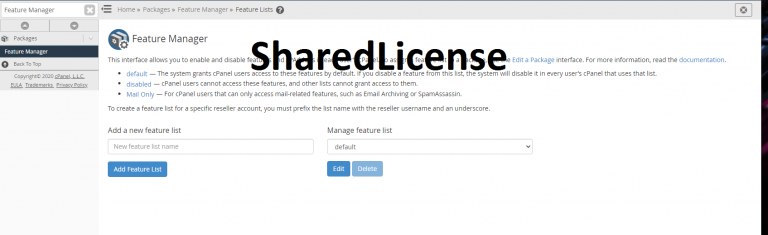
After entering the Manage feature list, click Edit
A new page will open for you that has a search box where you have to search for the word SSH Access & Terminal and uncheck it.
And then click the save button
That’s it
And the ssh section is disabled for your users in cpanel
If you need a cheap cpanel license, you can get it from the link below
Shared License cPanel
I hope this tutorial was useful for you
