


ब्लॉग
How to restart Litespeed web server? A Step by Step Guide
June 11, 2026
1 मिनट पढ़ाई
विषय-सूची
There are two ways to restart the Litespeed web server.
1. Restart via SSH
2. Restart via console
Restart via SSH:
To restart Litespeed via SSH, run the following command on your SSH server.
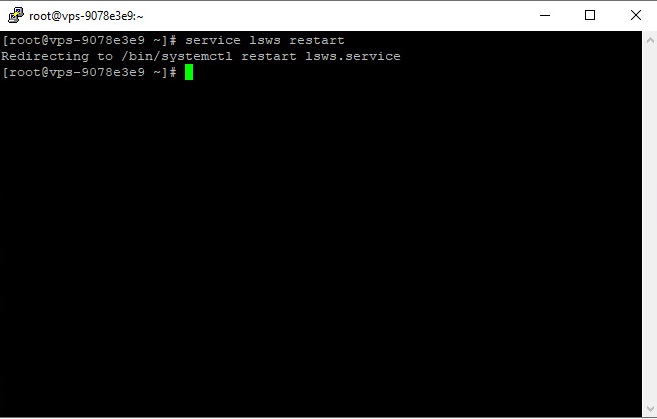
Restart via console:
To restart Litespeed through the console, you can do as shown in the image below.
First, enter the Litespeed console and click Restart Litespeed.

सर्वर लाइसेंस पर सबसे अच्छी कीमत चाहिए?
तुरंत डिलीवरी और 24/7 सहायता के साथ cPanel, DirectAdmin, LiteSpeed और अधिक पाएं।
Then a page similar to the one below will open, you must confirm to restart the Litespeed web server.

