


Blog
How to restart Litespeed web server? A Step by Step Guide
June 11, 2026
SharedLicense
1 min de lectura
Tabla de Contenidos
There are two ways to restart the Litespeed web server.
1. Restart via SSH
2. Restart via console
Restart via SSH:
To restart Litespeed via SSH, run the following command on your SSH server.
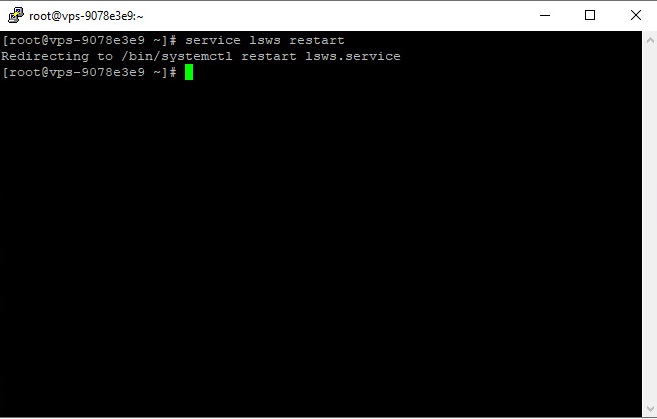
Restart via console:
To restart Litespeed through the console, you can do as shown in the image below.
First, enter the Litespeed console and click Restart Litespeed.

¿Necesitas el mejor precio en licencias de servidor?
Obtén cPanel, DirectAdmin, LiteSpeed y más con entrega instantánea y soporte 24/7.
Then a page similar to the one below will open, you must confirm to restart the Litespeed web server.

