
Блог

How to restart Litespeed web server? A Step by Step Guide

June 11, 2026 1 мин чтения

There are two ways to restart the Litespeed web server.
1. Restart via SSH
2. Restart via console

Quick summary

Looking for affordable server licenses? SharedLicense offers cPanel, DirectAdmin, LiteSpeed, CloudLinux, and Windows licenses at wholesale prices with instant delivery.

Browse licenses →

Restart via SSH:

To restart Litespeed via SSH, run the following command on your SSH server.
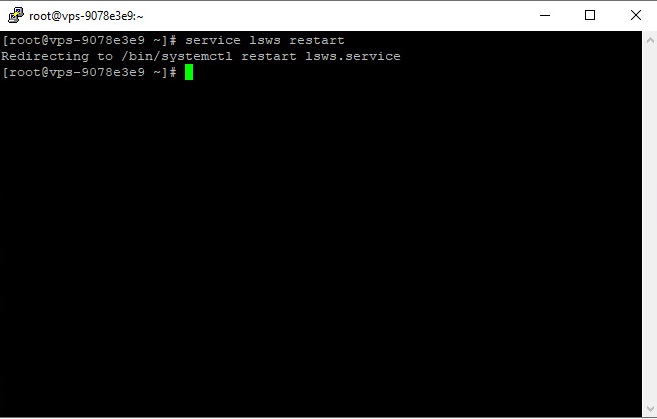


How to restart Litespeed web server via SSH
After you run the command on the SSH server, you should see an output similar to the image above.

Restart via console:

To restart Litespeed through the console, you can do as shown in the image below.

First, enter the Litespeed console and click Restart Litespeed.

How to restart Litespeed web server via console

Need the best price on server licenses?

Get cPanel, DirectAdmin, LiteSpeed & more with instant delivery and 24/7 support.

Shop Licenses →

Then a page similar to the one below will open, you must confirm to restart the Litespeed web server.

How to restart Litespeed web server via console

After Litespeed restarts, you will see a success message.

We are a shared license provider; if you need a Litespeed shared license at a cheap price, you can buy it from us.


Cheap Litespeed License

Share:

Готовы экономить на лицензиях ПО?

Присоединяйтесь к тысячам хостинг-провайдеров, которые доверяют SharedLicense оптовые цены и мгновенную доставку.