


Blog
How to restart Litespeed web server? A Step by Step Guide
June 11, 2026
1 min read
Table of Contents
There are two ways to restart the Litespeed web server.
1. Restart via SSH
2. Restart via console
Restart via SSH:
To restart Litespeed via SSH, run the following command on your SSH server.
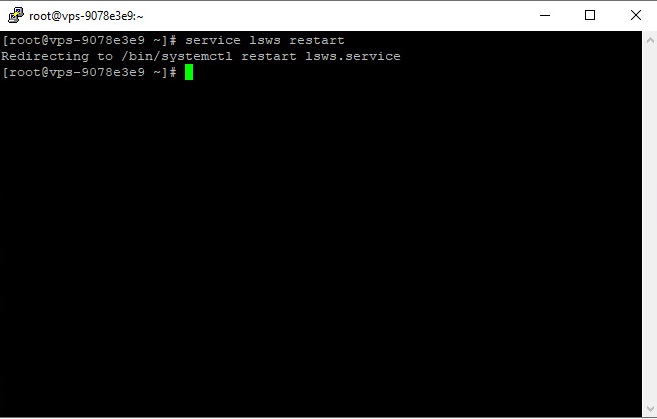
Restart via console:
To restart Litespeed through the console, you can do as shown in the image below.
First, enter the Litespeed console and click Restart Litespeed.

Need the best price on server licenses?
Get cPanel, DirectAdmin, LiteSpeed & more with instant delivery and 24/7 support.
Then a page similar to the one below will open, you must confirm to restart the Litespeed web server.

