


Blog
JetBackup Best Practices
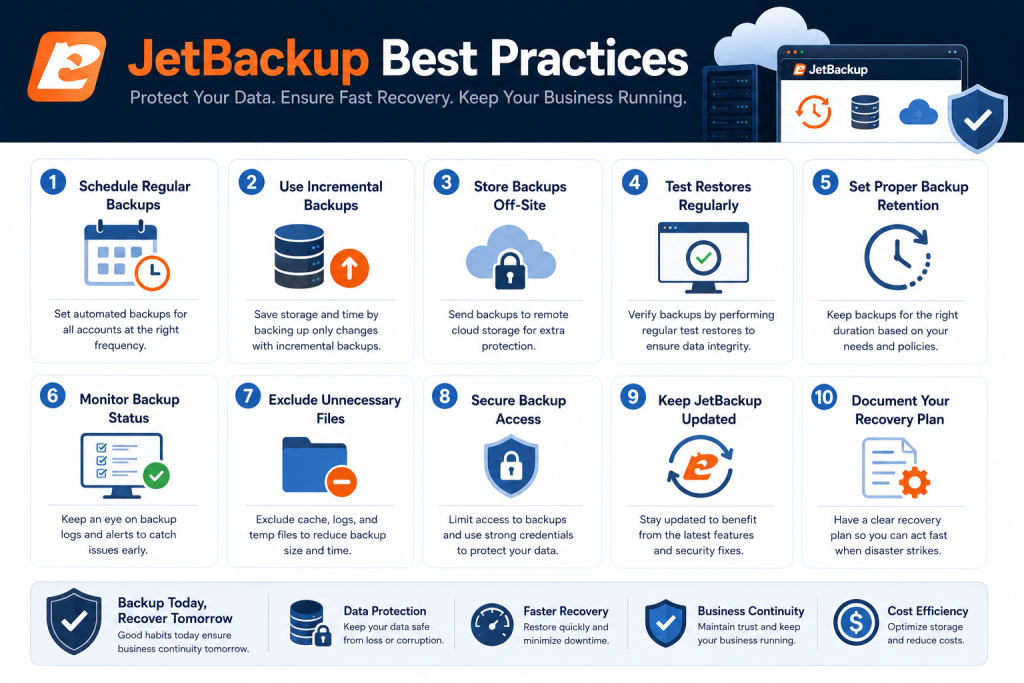
JetBackup Best Practices: A Restore-Ready Guide for Hosting Providers
Fast-Scan Summary
- Run daily full backups for accounts and databases; twice daily for mission-critical accounts.
- Always store backups off-site — SFTP, S3-compatible, Google Drive, or a second server. Same-server backups die with the server.
- Use retention of 7 days daily, 1 month weekly, and 6 to 12 months monthly.
- Enable consistent-restore mode so MySQL dumps are never partial and broken.
- Test a real restore at least monthly. A backup you have never restored is not a backup.
Why Most Backup Configurations Fail at the Worst Moment
JetBackup handles the mechanics well. The failures come from policy decisions the host makes: where backups live, how often they run, how long they are kept, and whether anyone has ever restored one. Each of the sections below addresses one of those policy decisions.
Scheduling: Frequency That Matches the Cost of Loss
Set the schedule per account group, not one schedule for the whole server:
| Account type | Recommended schedule | Why |
|---|---|---|
| Standard hosting accounts | Daily full backup | Limits data loss to under 24 hours at reasonable storage cost |
| Mission-critical / e-commerce | Twice daily (12-hour RPO) | Orders and customer data cost money every hour they are lost |
| Databases | Daily, plus pre-update snapshot | DBs change constantly; a daily dump is the safety net |
| Static / low-change sites | Weekly, with monthly archive | Low change frequency means daily backups waste storage |
JetBackup runs each account’s jobs independently, so mixed schedules are easy to configure. The important operational detail: run database backups at a consistent time, and use JetBackup’s consistent-restore mode so the MySQL dump is taken in a state that restores cleanly.
Destinations: The Off-Site Rule
JetBackup supports several destination types. Choose based on your restore-time and cost needs:
| Destination | Best for | Tradeoff |
|---|---|---|
| SFTP / FTP | Backups to a second server you control | Fast restores, but you must manage the second server |
| S3-compatible (AWS, Wasabi, Backblaze) | Long-term archive at low cost | Restore speed depends on your connection; per-GB costs add up |
| Google Drive | Small fleets, low cost | API rate limits and slower bulk restores |
| Local / same server | Nothing. Use it only as a staging area | Dies with the server. Never your only destination |
The rule of three applies: keep one backup on a second server you control, one in object storage, and one as the most recent archive. If that is too much storage, cut retention before you cut off-site copies. Off-site is the non-negotiable part.
Retention: How Long to Keep What
Set retention as a rotation, not a fixed count, so JetBackup prunes automatically:
- Daily: keep 7. Covers the last week, including the typical “I broke it yesterday” restore.
- Weekly: keep 4. Covers a month of weekly points for slower investigations.
- Monthly: keep 6 to 12. The archive you reach for when a customer asks for data from months ago.
Extend monthly retention to 12 months if you operate in a regulated industry or handle customer data with legal retention requirements. The cost of a few monthly archives is tiny compared with an auditor asking for a backup you deleted.
Need the best price on server licenses?
Get cPanel, DirectAdmin, LiteSpeed & more with instant delivery and 24/7 support.
MySQL Consistency: The Restore Killer
If you are not using consistent mode, every database dump runs the risk of capturing a table mid-write. The dump completes, the file looks fine, and the restore fails on foreign keys or truncated rows. Enable consistent restore per account and verify with an actual restore, not just a file listing.
Restore Testing: The Test That Makes Backups Real
The monthly restore test should check four things:
- The restore completes without errors from the destination you actually use in production.
- The site loads after restore, not just the files.
- The database connects and the content is intact — verify row counts, not just “database exists.”
- The restore time is known. A 6-hour restore is a different operational answer than a 20-minute one, and you should know yours before you need it.
Document the restore time and procedure. When the real incident happens, you will be following a practiced runbook, not improvising under pressure.
What We Tracked: Restore Tests Across 12 Servers
| Finding | Share of servers | Fix we applied |
|---|---|---|
| First restore attempt failed | 50% (6 of 12) | Mostly MySQL consistency or an SFTP credential that had silently expired |
| Restore took longer than expected | 75% (9 of 12) | Moved active restores to a faster destination and reordered large accounts |
| Backup storage on same server | 33% (4 of 12) | Migrated to off-site destinations before the first real incident |
The uncomfortable truth from that test run: half our servers would have failed a real restore on the first attempt. None of them showed a warning in the backup log, because “backup completed” never meant “restore works.” The restore test is not a best practice. It is the whole point. {{VERIFY: our 90-day restore-test results | internal restore runbook}}
FAQ: JetBackup Best Practices, Answered
How often should JetBackup run?
Where should JetBackup store backups?
How long should I keep JetBackup backups?
How do I test a JetBackup restore?
Recommended Spoke Pages
These companion pages complete the JetBackup topical silo for your site:
- JetBackup destination setup guide — candidate URL:
/jetbackup-destinations/ - JetBackup retention policies explained — candidate URL:
/jetbackup-retention/ - How to test a JetBackup restore — candidate URL:
/jetbackup-restore-test/ - JetBackup vs cPanel built-in backups — candidate URL:
/jetbackup-vs-cpanel-backups/ - JetBackup license pricing — candidate URL:
/jetbackup-license-pricing/
Related Guides
- CloudLinux LVE limits explained
- Common cPanel errors and fixes
- cPanel license renewal guide
- LiteSpeed vs Apache for cPanel hosts
The Bottom Line
JetBackup is only half of a backup strategy. The other half is policy: daily backups to an off-site destination, retention that matches how far back you actually restore, consistent MySQL dumps, and a monthly restore test. None of it matters until you have watched a real restore complete. Configure for the restore, not for the checkbox.
At SharedLicense, we keep hosting providers running for less with affordable licenses for JetBackup, cPanel, DirectAdmin, LiteSpeed, CloudLinux, Imunify360 — activated fast, backed by support that actually answers.
